Features

Everything Dopodoro does for an ADHD brain.

Built for the place between "I should start" and "I'm starting." Six on-device AI helpers, five research-backed cycle presets, ten focus palettes, and one calm timer that knows when to get out of the way.

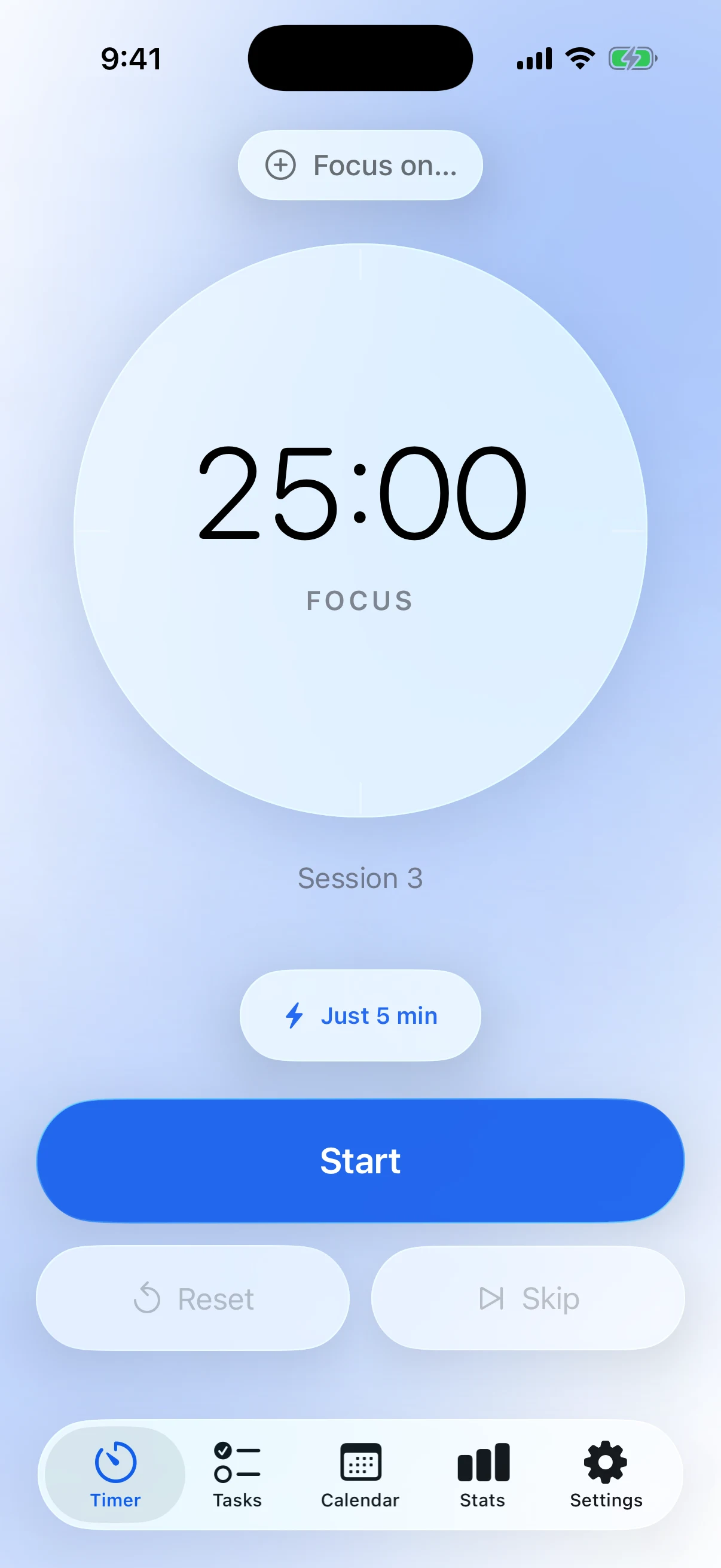
Dopodoro home with the focus timer at idle

0

ADHD helpers

0

Research-backed cycles

0

Focus palettes

0

Servers · accounts · ads

The differentiator

An ADHD-coherent loop, not just a timer.

Most Pomodoro apps are timers in different fonts. Dopodoro is the seven small helpers around the timer — the ones for the gaps between "I should start" and "I'm started" and "oh wait, what was I doing." None of them is the secret. The loop is.

  1. 01

    Morning brief

    What's overdue, due today, what you pinned. Object permanence for the to-do list.

  2. 02

    Brain dump

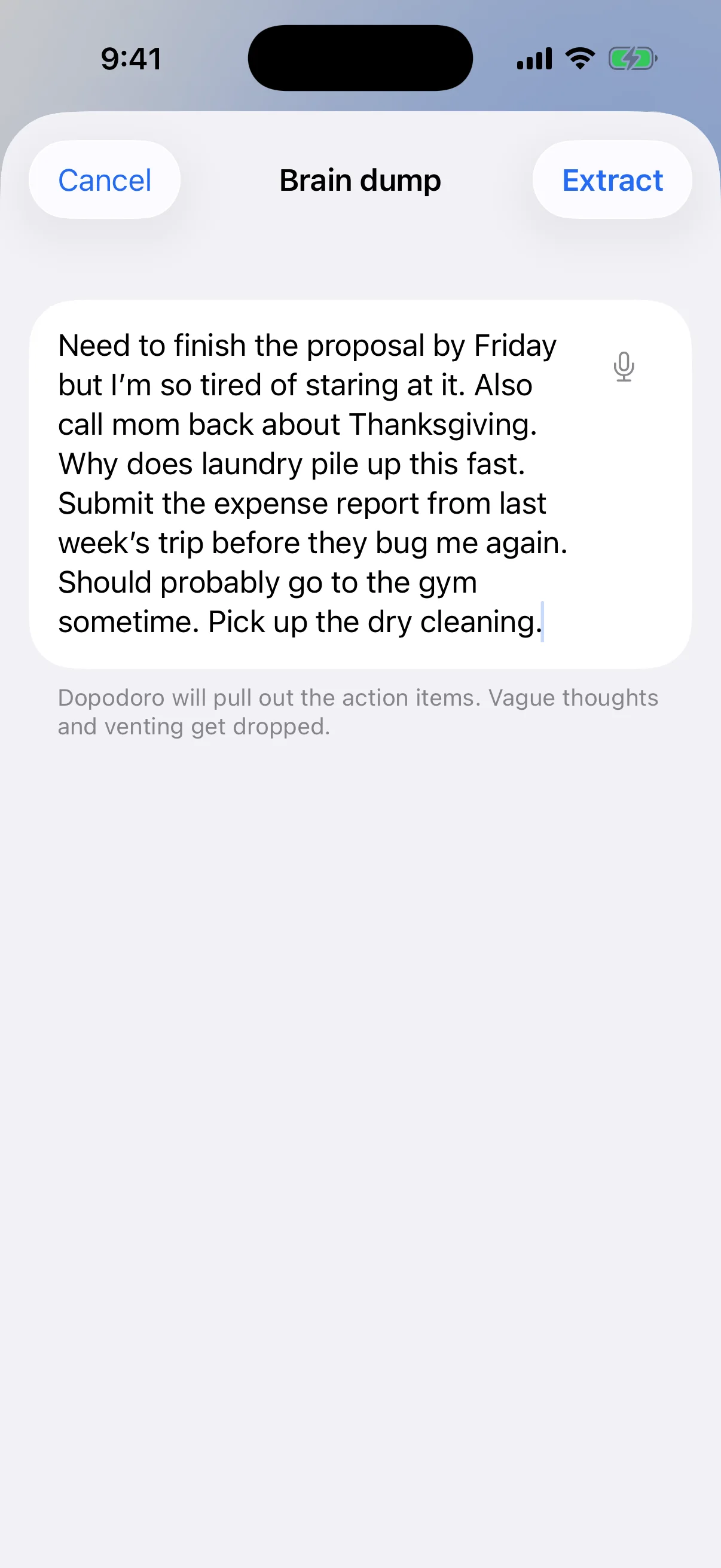
    Type or talk a stream of consciousness. AI distills it into structured tasks.

  3. 03

    Pick for me

    Tell it your energy. It picks one task — and tells you why.

  4. 04

    Just 5 min

    When 25 minutes is a mountain, five minutes is a doorway.

  5. 05

    Smallest done

    Set the tiniest version that would count. Anything more is gravy.

  6. 06

    Park-it

    Capture the brilliant idea that always shows up at minute eleven. Keep going.

Timer

Tiny doses of done.

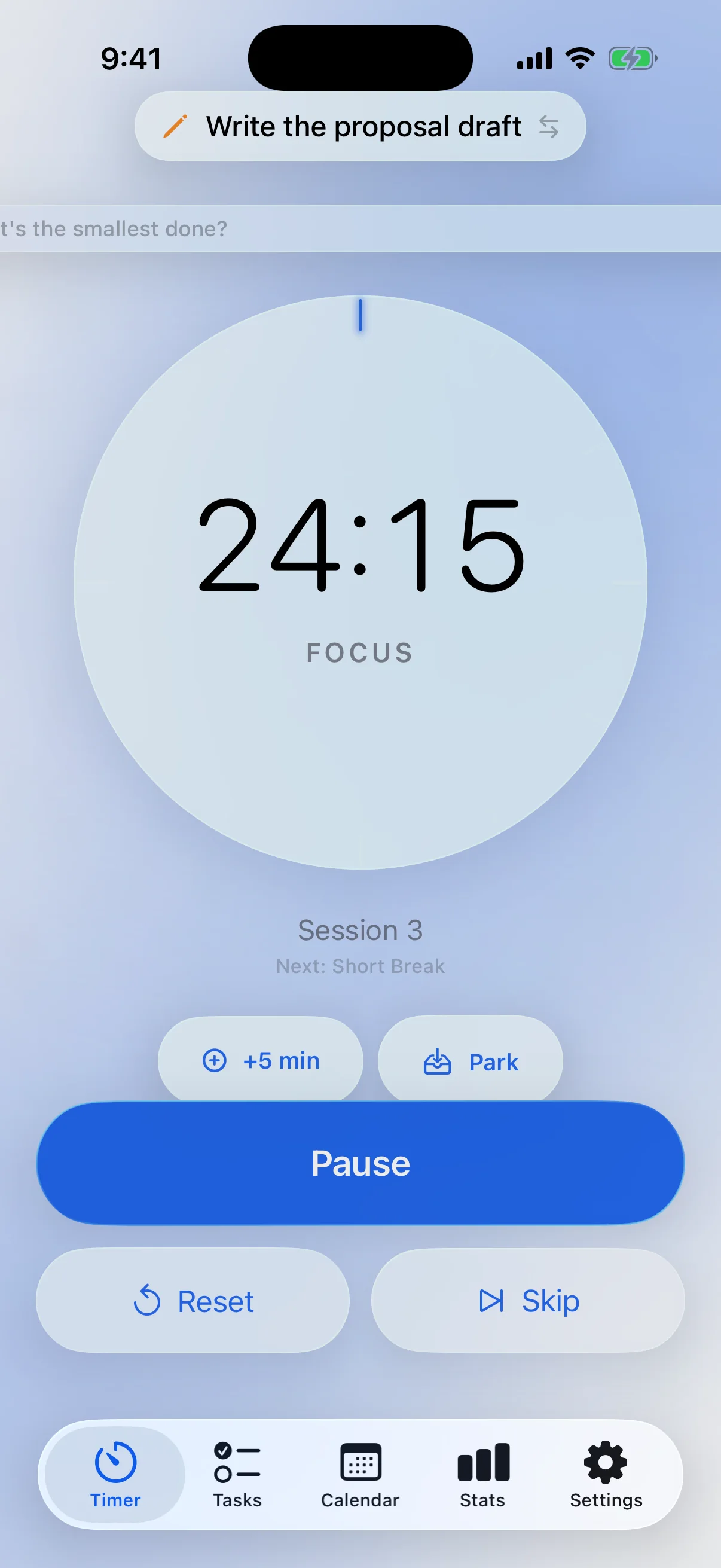
A frosted-glass dial with a 12-mark watch face that lights up tick by tick as you focus. Drift-free across backgrounding, app kills, even reboots — the timer keeps perfect time whether or not the app is running. Five research-backed cycle presets out of the box: Classic, Long Focus, DeskTime, Sprint, Ultradian.

  • Just 5 min — a doorway when 25 minutes feels too big
  • +5 min — extend without resetting
  • Park — capture a wandering thought without ending the session
  • Smallest done — a one-pill reframe of what "finished" means today
  • Long-press Skip to jump to any phase
Tiny doses of done.

Tasks & AI helpers

Brain dump, then begin.

Tasks built for an ADHD day — recency-grouped sections, priority, voice capture, total focus time per task, twelve categories with on-device AI auto-detection. Six Apple Intelligence helpers do the slow thinking. All on-device — nothing leaves your phone for transcription or for AI.

  • Brain dump — a paragraph in, action items out
  • Pick for me — energy check-in, AI picks one task with a one-line reason
  • Break it down — any task into 3–7 small, starting-sized steps
  • Estimate effort — 1–8 pomodoros, underestimate-biased on purpose
  • Morning brief — a once-a-day soft re-engagement
  • Notes, due dates, subtasks, priority, drag-to-reorder
Brain dump, then begin.

Stats

A week of small wins, written in your handwriting.

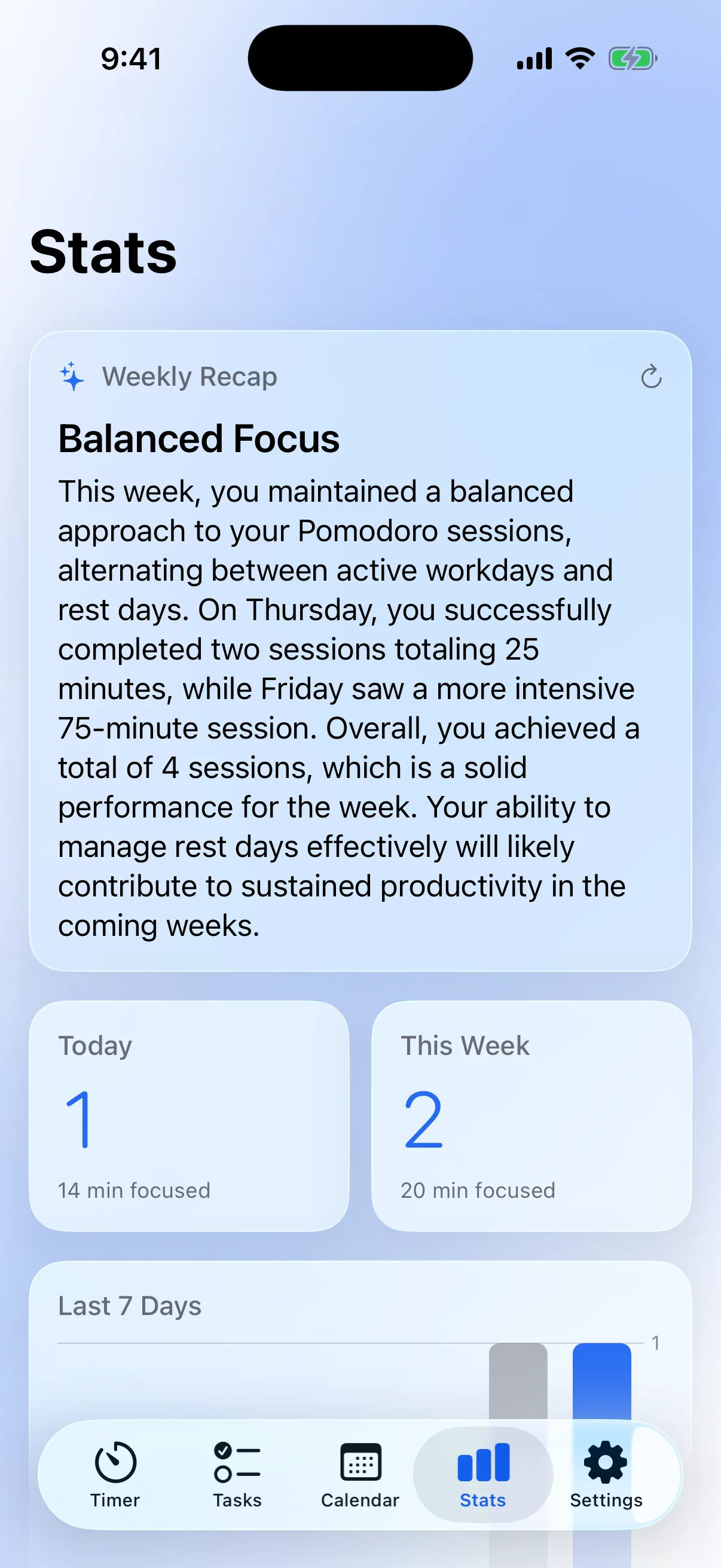
Today and this week first. The on-device Weekly Recap turns your sessions into a one-paragraph summary — written by Apple Intelligence, never leaving your phone. A 5-stop calendar heatmap, a 7-day chart with VoiceOver Audio Graph support, a daily goal card that meets you where you are. No leaderboards, no shame for empty days.

  • Weekly Recap — on-device AI summary of your focus week
  • Streak card with grace-day allowance
  • Day-of-week breakdown chart
  • Daily goal card with encouragement copy that adapts to where you are
  • Milestone share sheet at 7 / 30 / 100 sessions
  • Lifetime Records — total hours, best streak, best day, best week (Plus)
A week of small wins, written in your handwriting.

Live Activity & widgets

Lives where you live.

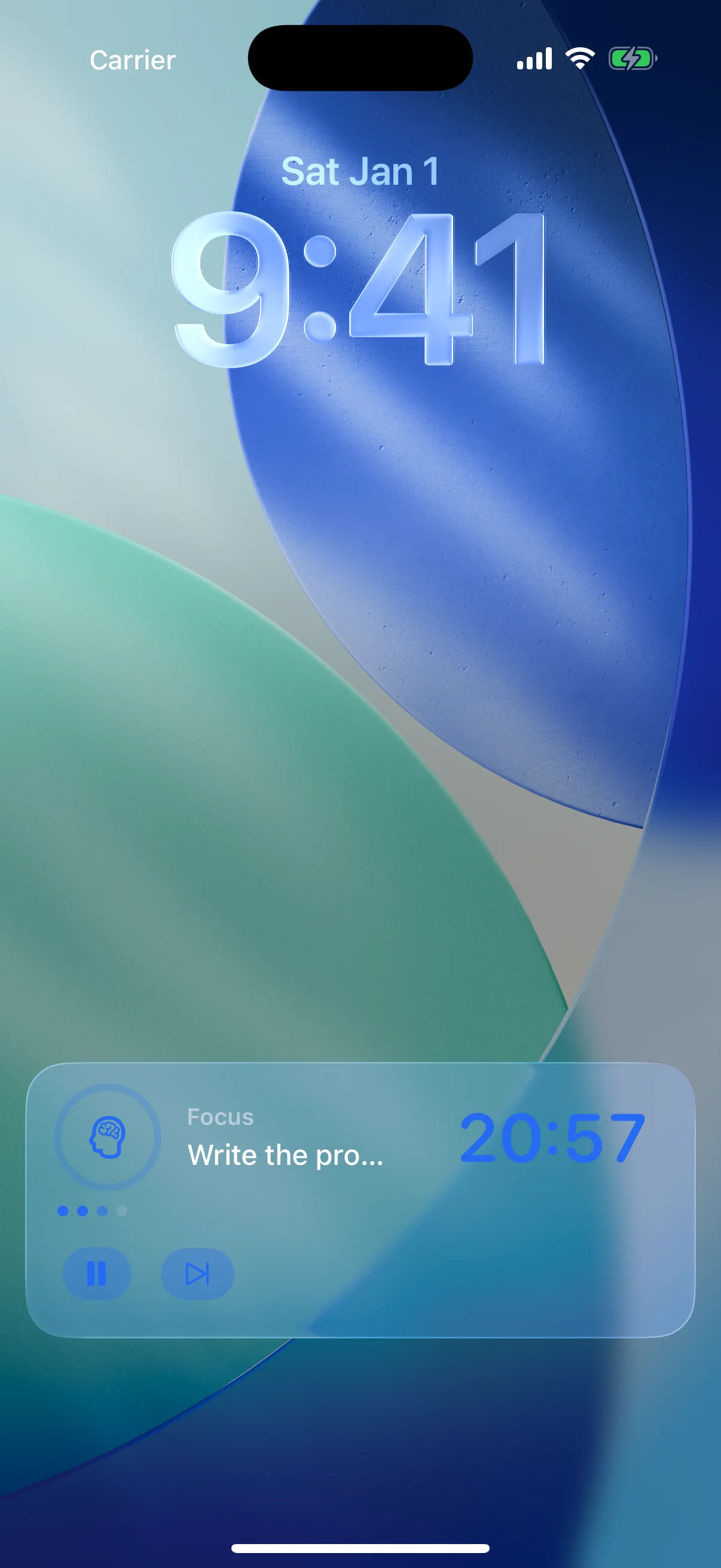
Pause, skip, extend — all without opening the app. The Live Activity holds the timer on the Lock Screen and Dynamic Island; three Home Screen widget sizes give you full control from the home page. Phase-tinted, drift-free, and tough enough to survive when iOS force-quits the app: a cold-launch reconciliation adopts orphaned activities so the timer never lies.

  • Lock Screen tile — phase tint, countdown, ring, session-progress dots
  • Dynamic Island — compact, minimal, and expanded layouts
  • Pause / Resume + Skip + Extend buttons on the activity
  • Home Screen widgets — small, medium, large; all interactive
  • Cold-launch reconciliation across app kills, force-quits, reboots
Lives where you live.

Palettes & customization

Your colors. Your rhythm. Your pace.

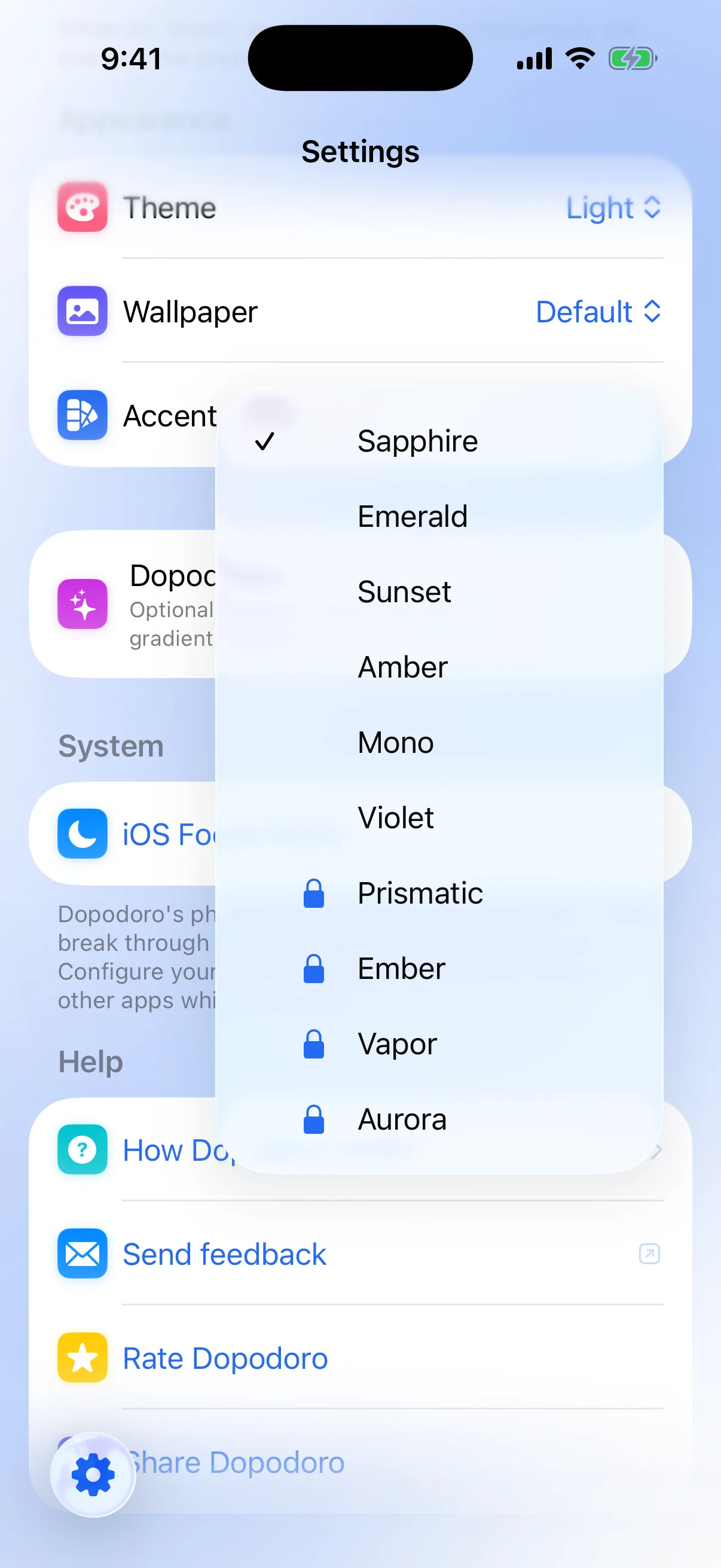
Ten focus palettes — six solid (Sapphire, Emerald, Sunset, Amber, Mono, Violet) free for everyone; four gradient palettes (Prismatic, Ember, Vapor, Aurora) under Dopodoro+. A live preview card shows you the dial against your actual wallpaper before you commit. Wallpaper picker, theme picker (System / Light / Dark / OLED Dark), haptics and chime toggles — nothing buried, nothing fiddly.

  • Live preview dial against your wallpaper as you change selections
  • Five Free cycle presets — Classic, Long Focus, DeskTime, Sprint, Ultradian
  • Custom Focus Profiles — dial and save your own named cycles (Plus)
  • Theme picker including a custom luxe black for non-OLED dark
  • Goals & Reminders — daily focus goal, evening streak nudge, daily reminder
Your colors. Your rhythm. Your pace.

Also in the app.

Everything else, briefly — every surface, every helper, every place Dopodoro meets you.

Calendar heatmap

A 5-stop monthly heatmap of when you actually focused. Tap a day for per-session detail.

Free

  • Month heatmap with five-stop intensity ramp
  • Day-detail card with per-day session list
  • VoiceOver labels per cell

Planned

  • Calendar.app integration in Morning Brief (V1.5)

First-run experience

A 4-page Welcome sheet — breathing hero icon, the rhythm demo, five tips, the privacy promise. Skippable, runnable later from Help.

Free

  • Palette-cycling breathing icon (Sapphire → Emerald → Amber → Violet)
  • Animated mini-session demo of focus → short break → long break
  • Five staggered tip cards
  • Reduce Motion-aware throughout

On-device AI catalog

Six Apple Intelligence helpers, all @Generable-typed, all gracefully hidden on devices without Apple Intelligence. Zero network calls.

Free

  • Weekly Recap — summarizes your focus week
  • Auto-categorize — picks one of twelve categories from a task title
  • Break it down — any task into 3–7 small steps
  • Estimate effort — 1–8 pomodoros, underestimate-biased
  • Pick for me — energy check-in plus AI suggestion
  • Brain dump — extracts action items from stream-of-consciousness text

Planned

  • AI Coach — stand-alone conversational coaching surface (V1.4, Plus)

Voice capture

Tap the mic on any text field. Recognition runs on-device — nothing leaves your phone for transcription.

Free

  • Add Task title field
  • Brain dump composer
  • Park-it capture sheet
  • Permission prompts mention on-device processing explicitly

Settings deep-dive

Calm controls, never a wall of toggles. Live preview dial, palette picker, intervals, goals, reminders, data export, legal.

Free

  • Five research-backed cycle presets — Classic, Long Focus, DeskTime, Sprint, Ultradian
  • Theme — System, Light, Dark, or OLED Dark (a custom luxe black for non-OLED dark)
  • Sound + chime picker (5 chimes) + haptics toggle
  • Auto-start next phase toggle
  • Daily focus goal + evening streak nudge + daily reminder
  • iOS Focus mode deep-link
  • Data Export — JSON (full roundtrip) and CSV (RFC 4180)
  • Reset Settings + Erase All Data
  • Privacy Policy + Apple Standard EULA

Plus

  • Four gradient palettes — Prismatic, Ember, Vapor, Aurora
  • Custom Focus Profiles — dial and save your own named cycles

Planned

  • Alternate app icon variants (V1.1, Plus)
  • iOS Focus Filter blocking (V1.1)
  • Localization — Spanish, French, German (V1.5)

Siri, Shortcuts, Spotlight

Five App Intents — Start, Pause, Skip, Reset, Extend — wired to thirteen Siri phrases. Wrong-state dialogs instead of hard fails.

Free

  • Five AppIntent + LiveActivityIntent conformant intents
  • Thirteen Siri / Spotlight phrases declared up-front
  • Wrong-state IntentDialog responses instead of crashes
  • Notification action buttons fire the same intents

Lock Screen widgets

Coverage for the idle Lock Screen — the gap the Live Activity leaves when no timer is running.

Planned

  • accessoryCircular / accessoryRectangular / accessoryInline (V1.1)

Apple Watch

Not in V1.0. The Watch app is on the roadmap — complication and glance at minimum, with a stretch goal of full Pomodoro on Watch.

Planned

  • Complication + glance (V1.3, Plus)
  • Stretch: full Watch Pomodoro with cross-device state handoff

Dopodoro+

Free is the working app. Plus is patronage.

Everything functional is Free — all six on-device AI helpers, voice capture, the full task system, the calendar heatmap, all stats except lifetime records, all five research-backed cycle presets, six focus palettes, Live Activities, widgets, and App Intents. Plus is for people who want to support a one-person operation and unlock a few aesthetic + customization upgrades. The first month on a subscription tier is free.

What's Free

  • 6 on-device AI helpers
  • Voice capture across the app
  • Full task system + priority + notes + subtasks + 12 categories
  • Calendar heatmap + every stat except Lifetime Records
  • 5 cycle presets — Classic, Long Focus, DeskTime, Sprint, Ultradian
  • 6 focus palettes — Sapphire, Emerald, Sunset, Amber, Mono, Violet
  • Live Activities, widgets, Siri / Shortcuts / Spotlight
  • JSON + CSV data export

What's Plus

  • 4 gradient palettes — Prismatic, Ember, Vapor, Aurora
  • Custom Focus Profiles — dial and save your own named cycles
  • Lifetime Records — total focus hours, total sessions, best streak ever, best day, best week, first focus date
  • Future power features (alternate icons, Watch app, Focus Filter blocking) as they ship

Pricing

$1.99 / month$14.99 / year$29.99 / lifetime (one-time)

1-month free trial on subscription tiers — surfaced as a gift-icon banner when eligible.

No nag, no blurs, no "upgrade for the real app." Locked palettes are listed in the paywall, not teased in the picker. Lifetime is featured because it's the version that aligns with a one-person operation: pay once, support an indie dev, keep the app.

Questions?

Track our progress